ChatGPT Video Editor Free vs. ChatGPT Images 2.5: What You Can Actually Do Right Now
AI-generated content has moved fast in 2026, and two questions keep coming up for creators: can you edit video with ChatGPT for free, and what changed with the newly released ChatGPT Images 2.5? The short answer is that these are two very different tools solving two very different problems — one is a native OpenAI feature, the other is a category of third-party apps that plug into ChatGPT. Here’s what each one actually offers.
Does ChatGPT Have a Free Video Editor?
Not natively, at least not yet. ChatGPT itself is a text and image assistant — it can write scripts, storyboards, captions, and prompts, and it can generate still images through its built-in image tool. It does not, on its own, cut clips, add transitions, or export a finished video file.
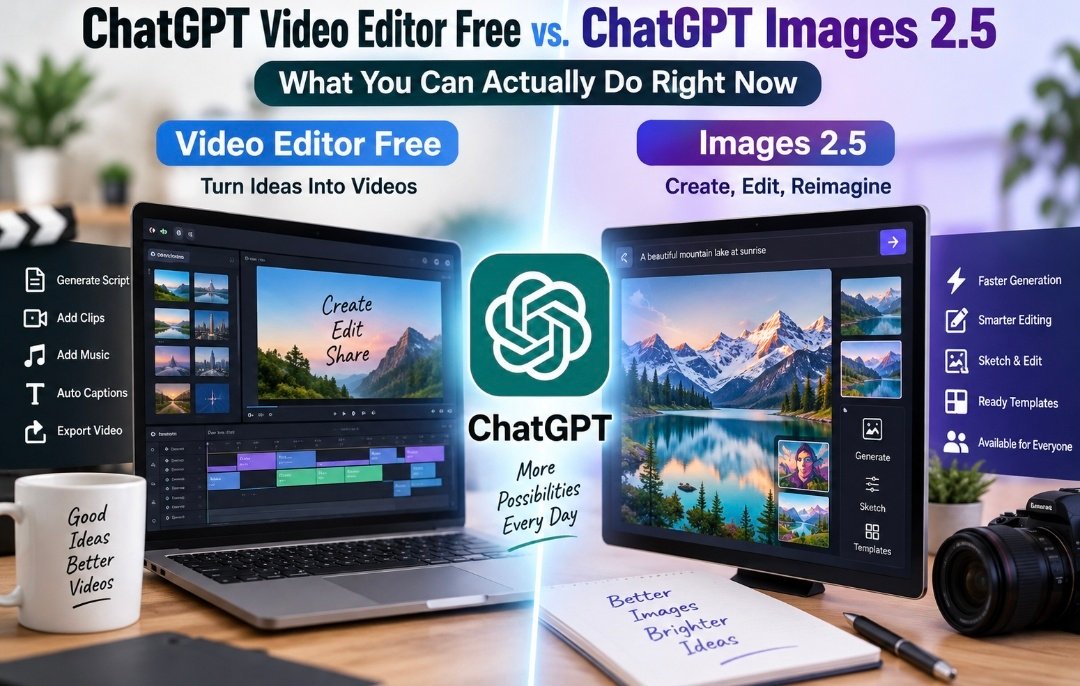
What people usually mean by “ChatGPT video editor free” is a category of third-party platforms — tools like Descript, FlexClip, Fliki, Pictory, VEED, Synthesia, and SendShort — that connect to ChatGPT’s text output and turn it into an actual video. The typical workflow looks like this:
- Generate a script or outline in ChatGPT. You describe the video you want, and ChatGPT drafts the script, hook, and structure.
- Feed that script into a video tool. Some platforms offer a direct plugin so you can send ChatGPT’s output straight into the editor; others just want you to copy and paste the text.
- The tool auto-matches visuals, voiceover, and captions. Stock footage, AI avatars, or generated images get paired with your script automatically.
- You fine-tune it in a timeline editor. Free tiers typically let you trim clips, swap scenes, add music, and adjust text before exporting.
Because these are separate products, the “free” part usually comes with real limits — a capped number of minutes or credits per month, watermarked exports, lower resolution, or reduced access to premium avatars and voices. If you want a completely free, ChatGPT-only video workflow, expect to do more manual work: write and iterate the script in ChatGPT, generate any supporting images with its image tool, then assemble everything yourself in a separate free editor like CapCut or DaVinci Resolve.
The practical takeaway: ChatGPT is the brains behind the script and the visual concepts, while a connected video tool is the hands that actually cut and export the footage. If a page or plugin promises a full “ChatGPT video editor,” it’s almost always one of these integrations rather than a built-in OpenAI feature — worth checking before you sign up so you know exactly what you’re getting for free versus what’s gated behind a paid plan.
What’s New in ChatGPT Images 2.5
While video generation still runs through outside tools, image generation is a different story — and OpenAI just shipped a significant upgrade. Back in April, OpenAI rolled out ChatGPT Images 2, and five months later it followed up with an enhanced version: ChatGPT Images 2.5, released on September 8, 2026.
Here’s what changed with this release:
Faster generation. OpenAI cut image generation latency by roughly half compared with the previous version, so there’s less waiting between prompts and revisions.
More consistent editing. The updated model handles image edits more reliably and improves the accuracy and layout of infographics. Users can change a photo’s setting, style, or composition while the model holds onto more of the original details — addressing a common frustration where a small edit request would unintentionally reshuffle the whole image.
Better multi-turn reliability. The model now sticks to editing instructions more consistently across a longer back-and-forth conversation, so a series of small tweaks — darken the background, then add a logo in the corner — is less likely to drift away from the original subject or lose quality over time.
Sketch and comment-based editing. A new Sketch feature lets users draw directly inside ChatGPT as a visual reference for the image they want, and a comment-based editing option lets people mark up exactly which part of an image to change rather than describing it all in words. That’s a meaningful shift for anyone who finds it easier to draw a layout than to explain it.
Ready-made templates. New templates give people a starting point for common formats — flyers, product photos, posters, and merch designs — rather than building every layout from scratch.
Wider rollout. The update is rolling out to every ChatGPT tier — including ChatGPT Work and Codex — across desktop, mobile, and web, and it’s available on free accounts as well as paid ones.
New API models for developers. Alongside the consumer-facing update, OpenAI released two companion image models for its API: GPT-Image-2.5 Flare, positioned as the default choice for most applications and offering noticeably lower latency than its predecessor at comparable or better quality, and a second, more precision-focused model aimed at demanding editing workflows. OpenAI has said that well over a billion images a week are already generated across its ChatGPT and API image tools combined, giving a sense of the scale this update touches.
How the Two Fit Together
If you’re building video content with ChatGPT, Images 2.5 is genuinely useful even though it doesn’t touch video directly. Sharper, more consistent images mean better thumbnails, cleaner b-roll stand-ins, more reliable brand assets across a campaign, and more usable static frames for platforms like Pictory or FlexClip that stitch AI images into finished videos. Because edits now hold up better across multiple turns, you can refine a single visual asset — adjusting lighting, swapping a background, sharpening a product shot — without it drifting away from your original concept, which used to be one of the biggest time sinks in AI-assisted content pipelines.
The Bottom Line
There’s no single “ChatGPT video editor” built into OpenAI’s product — video editing still runs through third-party integrations, most of which offer a limited free tier and charge for full resolution, watermark-free exports, or premium features. Image generation, on the other hand, just got a substantial native upgrade with ChatGPT Images 2.5: faster output, more reliable edits, sketch-based input, and ready-made templates, all rolled out free to every ChatGPT tier. For creators, the smartest workflow right now is to lean on ChatGPT and Images 2.5 for scripting and visuals, then hand that material off to a dedicated video tool to bring it to life as a finished, editable video.