Entertainment
How vSeeBox Delivers a Superior Entertainment Experience with Android


In the current wave of digital entertainment, vSeeBox has steadily occupied the core position of home entertainment for many users by integrating film and television playback, game playing, music appreciation and other diversified functions. The Android system is undoubtedly the key “engine” driving the efficient operation of this entertainment center, and the choice of the system version is directly related to the advantages and disadvantages of the entertainment experience. In the face of the complicated version iteration of the Android system, how to accurately locate the most suitable version to release the entertainment potential of vSeeBox in all aspects requires us to conduct in-depth analysis from multiple dimensions.
System performance and compatibility: the cornerstone of a solid entertainment experience
Hardware Adaptation: Adapt hardware to unleash performance
Android has gone through many rounds of major revisions, and the hardware adaptation standards and performance requirements vary significantly from one version to another. Android 10, as an earlier version, has relatively relaxed hardware performance requirements. For those vSeeBoxes with slightly outdated hardware configuration, Android 10 can support the operation of basic entertainment functions, such as playing common standard definition videos, or running some simple casual games, which can be barely realized. However, when it comes to more complex multitasking scenarios, such as downloading apps in the background while playing a video or trying to run a large 3D game, Android 10 will experience significant lag due to hardware performance bottlenecks, which will seriously affect the experience.
Android 11 takes a big leap forward in terms of hardware compatibility, requiring more processor performance and memory capacity from the device. When the vSeeBox is equipped with a mid-to-high-end processor and sufficient memory, Android 11 is able to fully utilize the potential of the hardware and significantly increase the speed of application launch. In terms of multitasking, Android 11 optimizes the system scheduling algorithm to enable multiple applications to run more smoothly in parallel, bringing users a smoother and more efficient operation.
Android 12 is a leader in hardware adaptation and optimization, which focuses on exploring the potential performance of hardware and is committed to achieving efficient use of hardware resources. For vSeeBox with high-end configuration, the support of Android 12 can bring unimaginable application response speed. Even when running multiple large-scale entertainment applications for a long period of time and at high intensity, Android 12 can still ensure the stable operation of the device by virtue of its excellent system optimization capabilities, providing users with rock-solid performance guarantee for their entertainment journeys.
Software compatibility: compatible software, rich entertainment
The richness of the entertainment experience is closely linked to the compatibility of various types of software. Due to its early release, Android 10 has some limitations in terms of software compatibility. Some newly developed popular entertainment software, especially video editing apps with frequently updated features and innovative technical architecture, or newly launched large-scale mobile games, may fail to install on Android 10. Even if the installation is successful, problems such as flashing back and some functions not working properly may occur during operation, greatly limiting users’ access to new entertainment content.
Android 11 has been optimized for software compatibility, and mainstream entertainment software, such as Disney+, are able to run stably on the system, providing users with a more reliable environment for using entertainment software. However, for some just launched the market, the adaptability is still in the process of perfecting the niche software, Android 11 occasionally still appear poorly adapted to the situation, resulting in the use of these software in the process of some small faults.
Android 12 has made a breakthrough in software compatibility, and most new and old entertainment software can work seamlessly with Android 12. Whether it’s a video player with cutting-edge features or a 3A game with top-notch special effects, all of them run perfectly on Android 12, giving full play to their functional advantages and providing users with uninterrupted, high-quality entertainment.
Graphics Processing Power: Creating an Immersive Visual Feast
Video playback effect: HD presentation for an immersive experience
Video playback is undoubtedly one of the core entertainment functions of vSeeBox, and the graphics processing power of Android is a key factor in determining the quality of video playback. Although Android 10 can support the playback of common video formats, when facing ultra-high definition videos with resolutions of 4K and above, the shortcomings of its hard decoding capability are exposed. During playback, the screen frequently lags, dropped frames, and the color reproduction is difficult to reach the ideal state, which is unable to create an immersive visual experience for the user.
Android 11 has upgraded the graphics processing module, significantly improving support for 4K video playback. When playing 4K video, Android 11 is able to present high-definition images more smoothly, and the saturation and contrast of colors have also been significantly improved, so users can intuitively feel a clearer and more vivid video images, and the visual experience has been improved to a greater extent.
Android 12 takes a quantum leap forward in its graphics processing capabilities, not only handling the hard decoding of 4K and even 8K Ultra HD videos, but also introducing advanced video quality enhancement technology. Through intelligent algorithms to optimize the details of the video screen, Android 12 can significantly improve the color saturation and contrast of the screen, bringing users an unprecedented visual shock, so that even at home, you can enjoy a viewing experience comparable to that of a professional cinema!
Game screen performance: Improved picture quality for immersion
For users who are passionate about gaming, the graphics processing power of Android is directly related to the gaming experience. When running large 3D games on Android 10, due to the relatively limited graphic rendering capabilities, the game screen is prone to jagged, rough lighting and shadow effects, which seriously undermine the immersion and visual aesthetics of the game, making it difficult for the player to fully engage in the game world.
Android 11 significantly improves graphics rendering efficiency by optimizing the graphics rendering engine. When running mainstream 3D games, Android 11 can effectively improve the smoothness and finesse of the screen, and the details of the character models and scene textures in the game are much better, creating a more realistic and vivid game screen for players and greatly enhancing the visual appeal of the game.
Android 12 takes gaming to a whole new level with its leading-edge graphics technology. When running large 3D games, Android 12 not only ensures that the game runs stably at a high frame rate and effectively avoids lag, but also provides better support for advanced graphical effects such as ray tracing and real-time shadows. This allows for cinematic image quality, creating an immersive gaming world for players and elevating the gaming experience to a whole new level.

Audio output quality: building an all-around auditory feast
Audio technical support: support for sound effects to enhance immersion
Quality audio output is one of the key elements in creating an immersive entertainment experience. Android 10’s support for high-end audio technologies such as Dolby Atmos and DTS Surround Sound is not yet complete. Even if vSeeBox is connected to a high-end audio device, due to the lack of support at the system level, the advantages of these surround sound technologies cannot be fully utilized. When watching movies or playing games, it is difficult for users to feel an all-round, immersive audio environment, and the audio experience is greatly reduced.
Android 11 has increased its support for sound technology, and is able to better adapt to common surround sound technologies such as Dolby Atmos. When playing movie and TV content that supports such sound effects, Android 11 can create a more three-dimensional and realistic audio effect through the system’s audio processing algorithms, allowing users to feel as if they were surrounde by sound, greatly enhancing the sense of immersion and infectiousness of audio.
Android 12 has further optimized and upgraded its sound technology, not only providing more stable and reliable support for mainstream surround sound technology, but also innovatively introducing new audio enhancement algorithms. These algorithms can further enhance the clarity and layering of audio, making every note and every sound effect more clearly and accurately conveyed to the user, bringing the user a more shocking and immersive auditory enjoyment.
Audio format compatibility: compatible formats, rich audio options
Android’s compatibility with audio formats directly determines the range of audio files that users can play. Android 10’s support for some lossless audio formats, such as FLAC, APE and so on, is flawed. Users may not be able to play such lossless music files downloaded by users on Android 10, and need to use third-party software to convert the format, which is not only cumbersome, but may also lead to loss of audio quality, causing inconvenience to the user’s music enjoyment experience.
Android 11 has made positive improvements in audio format compatibility and is able to directly support more common lossless audio formats. This means that users can conveniently play all kinds of high-quality music without having to worry about format incompatibility, greatly enhancing the convenience and user experience of music playback.
Android 12 is the ultimate in audio format compatibility, covering almost all major audio formats. Whether it’s common MP3, WAV format, or niche professional audio formats, Android 12 can realize instant playback, which greatly enriches the user’s music entertainment choices and meets the needs of different users for a variety of audio content.
System interface friendliness: convenient operation, personalized customization
Convenience of operation: easy to operate and enhance the experience
A simple and intuitive system interface makes it easier for users to enjoy entertainment. The system interface design of Android 10 is relatively traditional, with complex menu layers, so users often need to spend more time and energy to sift through the layers of menus when looking for entertainment applications. In addition, the voice control function of Android 10 is relatively weak, and the accuracy of voice recognition and the response speed of commands need to be improve, which to a certain extent affects the user’s operating experience.
Android 11 has fully optimized the system interface, the menu layout is more reasonable, and the search path of commonly used entertainment apps has been simplified, so users can find the apps they want to use more quickly. Meanwhile, Android 11 has upgraded the voice control function by optimizing the voice recognition algorithm and command processing mechanism, which significantly improves the accuracy and response speed of voice recognition. Users can easily complete operations such as playing videos and switching songs through concise voice commands, which greatly improves the convenience of operation.
The system interface of Android 12 has taken a quantum leap in terms of ease of operation. It adopts a more concise and intuitive design concept, and by optimizing the interface layout and interaction, users can complete various complex functions through simple gesture operations. In terms of voice control, Android 12’s voice recognition system is more intelligent, not only can it accurately recognize a variety of natural language commands, but also supports continuous operation of multiple commands, which greatly improves the user’s operational efficiency and makes the entertainment experience more smooth and efficient.
Personalization: meet individuality, create exclusive interface
Satisfying users’ personalized needs is an important part of enhancing the entertainment experience. The personalization function of Android 10 is relatively limite, and users can only make simple settings for system wallpapers and icons, making it difficult to create a personalized entertainment interface with unique style and personal characteristics.
Android 11 adds more personalization options, users can choose different system themes according to their own preferences, customize the style of application icons, but also the desktop layout can be freely arrange and combined. These features allow users to create a more personalized entertainment interface to meet the needs of different users for a personalized visual experience.
Android 12 is richer and more diverse in terms of personalization, in addition to supporting regular themes, wallpapers, icon customization, but also allows users to customize the system fonts, animation effects and other depth. Users can create a unique entertainment space according to their own preferences and creativity, fully displaying their personal style, so that every use of vSeeBox becomes a personalized and unique experience.
App store resource richness: massive resources, timely updates
Number and variety of entertainment applications: a wealth of applications to meet demand
Rich app store resources are an important source of diverse entertainment content for users. The number and variety of entertainment apps in the app store of Android 10 are relatively limite. Some newly launched popular entertainment apps may not be available in the app store in time, which limits users’ entertainment choices to a certain extent and makes it difficult to keep up with the fast-changing entertainment trends.
Android 11’s app store has been significantly expande in terms of the inclusion of entertainment apps, covering more types of movie and TV, music, games, live streaming and other apps. Users can easily find a variety of popular and niche entertainment apps in the app store, whether they are pursuing popular movie and TV resources, exploring niche music platforms, or experiencing novelty mobile games, all of which can be satisfie, greatly enriching the user’s entertainment choices.
Android 12’s app store is a “treasure trove” of entertainment apps, with tons of resources for entertainment apps. Whether it’s popular games around the world, or all kinds of unique niche film, TV and music apps, all can be easily found in the app store. The rich application resources provide users with unprecedented space for entertainment choices and meet the needs of different users for diversified entertainment content.
Application update speed: update timely, experience the latest features
Timely updates of entertainment apps enable users to experience new features and performance optimizations first. The app store on Android 10 has an older version and the app update mechanism is lagging behind. Some entertainment apps are update slowly, so users may need to wait for a long time to get the latest version of the app, and are unable to enjoy the benefits of new features and performance optimizations in time, which, to a certain extent, affects the entertainment experience of users.
Android 11 optimizes the app update mechanism. By improving the push algorithm and update process in the app store, most entertainment apps can be pushe to users within a relatively short period of time after the developer releases an update. This ensures that users are able to experience new features and improvements to apps in a timely manner, always staying at the forefront of the entertainment experience.
Android 12’s App Store excels in update speed, not only enabling fast update push for entertainment apps, but also by introducing intelligent algorithms that are able to predict which apps users may need to update based on their usage habits and preferences, and prepare them for updates in advance. This innovative mechanism enables users to always enjoy the latest and best quality entertainment applications, keeping the entertainment experience fresh and smooth.

System stability and security: stable operation, safe and worry-free
System Stability: Stable operation and guaranteed entertainment experience
A stable system is the foundation for continuous entertainment enjoyment. When running entertainment applications for a long time, Android 10 is prone to system memory leakage and high resource utilization, resulting in lag or even crash. Especially when multi-tasking multiple large-scale entertainment applications, due to the limited scheduling capacity of system resources, stability issues are particularly prominent, seriously affecting the user’s entertainment mood and experience.
Android 11 is fully optimized for system stability, and by improving the memory management mechanism and resource scheduling algorithm, it effectively reduces the probability of system lag and crash. When running various entertainment applications for a long period of time, Android 11 is able to maintain a relatively stable operating state, providing users with a more reliable entertainment experience.
Android 12 further strengthens system stability by adopting more advanced kernel optimization techniques and process management mechanisms. Even when running multiple large-scale entertainment applications for a long period of time and at high intensity, Android 12 is still able to keep the system running stably, effectively avoiding entertainment interruptions due to system failures, and providing users with an uninterrupted, high-quality entertainment experience.
Safety: guarantee safety, rest assured entertainment
In today’s increasingly serious cybersecurity situation, the security of Android system is crucial. The security protection mechanism of Android 10 is relatively weak, and in the face of increasingly sophisticated cyberattacks, such as malware invasion and data theft, there is a greater risk to the privacy and data security of users. In the event of an attack, personal data generated by users during the entertainment process, such as movie viewing records and game account information, may be leaked, bringing potential losses to users.
Android 11 strengthens the system’s security and protection features, adding fine-grained management of app permissions, as well as the ability to detect and block malware. By strictly controlling apps’ access to user data and monitoring malware activity in the system in real time, Android 11 effectively improves the security of user data, giving users greater peace of mind while enjoying entertainment.
Android 12 has been upgrade in terms of security, not only with stronger malware protection, but also with the introduction of features such as Privacy Zone. The Privacy Zone provides more stringent protection for users’ private data, restricts apps’ access to sensitive data, and ensures the security of users’ data. At the same time, Android 12 is also constantly update with security patches to fix system vulnerabilities in a timely manner, ensuring the safety of users in the entertainment process.
Summary
When choosing the right Android system for vSeeBox, we need to weigh the system performance and compatibility, graphic processing capability, audio output quality, system interface friendliness, richness of the app store resources, system stability and security, and other factors. Under comprehensive consideration, Android 12 is better in all aspects, and can bring vSeeBox users a full range of high-quality entertainment experience. Of course, if vSeeBox hardware configuration is limited, Android 11 or Android 10 can also be used as an alternative, but in terms of the completeness of the entertainment experience and the ultimate, compared to Android 12 will be inferior. When making a choice, users should make the most suitable decision according to the actual hardware condition of their vSeeBox and the core demand for entertainment experience, in order to fully utilize the entertainment value of vSeeBox and enjoy the ultimate entertainment experience.
FAQ
1.Which Android to choose for vSeeBox with low configuration?
Consider Android 10, which has low hardware requirements and maintains basic entertainment features, but performs poorly in multitasking and large apps. If the hardware has some potential, you can also try Android 11 .
2.What is the advantage of Android 12 in playing large 3D games?
Android 12 can run stably at high frame rates, perfect support for ray tracing and other advanced special effects, so that the game screen up to cinematic quality, bringing a more realistic experience.
3.What system should I choose to watch videos mainly on vSeeBox?
Android 12. It is capable of decoding UHD videos, optimizing the details of the picture, and delivering a cinema-quality experience with excellent color and contrast.
4.Does Android security affect the entertainment experience?
It has a great impact. Poor security protection can be easily invad by malware, resulting in advertisement pop-ups, application crashes, data tampering, etc., which spoils the entertainment experience.
5.Does app store resource richness matter?
Very important. Even if you only play a few games, abundance means more choices, new content, and timely updates that enhance the overall entertainment experience.


With the increasing levels of competition on YouTube, most creators are now trying to find ways through which they can earn visibility and expand their channels faster. Here in comes the service providers like the YoutubeStorm, promising to add subscriptions in record time, views, and better participation. However, what is the truth behind it? Is it a clever trick or a dangerous shortcut?
In this article, we uncover the truth about YouTubeStorm—what it offers, how it works, and what creators need to consider before using such a service.
What is YouTubeStorm?
YouTubeStorm is an online tool that assists YouTube creators in growing their YouTube channels. Whether it’s views and likes or subscribers and comments, the service offers paid plans to enhance the channel’s overall performance. Superficially, it appears to be a beneficial push, particularly for small or new makers trying to attract interest. It is not all about the numbers, though.
The Promise: Fast Growth and Visibility
One of the main selling points of YouTubeStorm is rapid growth. The platform claims that creators can see their videos gain hundreds or even thousands of views shortly after purchasing a package. Subscribers can also increase quickly, giving the appearance of a growing fan base.
For new creators, this sounds appealing. The early stages of a YouTube channel can be painfully slow, and reaching the 1,000 subscribers and 4,000 watch hours required for monetization can feel like a distant dream. YouTubeStorm offers a way to shorten that journey.
What Creators Need to Know: Pros
Let’s take an honest look at the potential benefits of using YouTubeStorm:
Instant Credibility
Seeing higher view counts and subscriber numbers can instantly make a channel look more trustworthy. New visitors are more likely to watch and engage with videos that appear popular.
Better First Impressions
A boost in metrics can improve a creator’s image. A well-performing channel often attracts organic viewers and collaborations more easily.
Time-Saving
Organic growth can take months or even years. YouTubeStorm gives the illusion of success quickly, which can be a motivating push for some creators.
The Flip Side: Important Concerns
Now for the truth that every creator must face—there are also real risks and limitations when using services like YouTubeStorm.
Engagement May Not Be Genuine
Among the most significant sources of disadvantage is that subscribers or views could not bring real and interested users across such services. Some of them might not even engage with your content or view entire videos, which can damage your audience retention rate.
Risk of Violating YouTube Policies
YouTube has strict policies against artificial inflation of metrics. If detected, your videos could be demonetized, your analytics could be flagged, or in extreme cases, your channel could be suspended.
Low Return on Investment
You can have the numbers that seem to be great but it does not always mean you grow. Advertisers and brands are getting smart, they want genuine engagements and not bogus figures with their brands.
Damage to Creator Reputation
In case a creator is revealed to be paying to look more successful, it might hurt his or her credibility. Viewers appreciate honesty, and the quick method can prove it to be counterproductive.
Is YouTubeStorm Worth It?
The truth about YouTubeStorm lies in understanding what it can and cannot do. It can offer a temporary boost to your numbers and perhaps help your videos gain traction. However, creators must weigh that against the possibility of poor engagement, reputation risk, and policy violations.
For those who want fast visibility and understand the limitations, YouTubeStorm may serve as a short-term tool. But relying solely on these kinds of services without a long-term content strategy can hinder true growth.
A Smarter Approach to Growth
Instead of thinking in terms of necessarily increasing the numbers in an artificial manner, have a look at merging organic approaches with informed support:
- Make your video titles, tags and thumbnails more discoverable.
- Encourage your audience through response and comments.
- Find other creators and cooperate with them to expand your following and divide audiences.
- Take up social-site posting, blogging, and newsletters to promote your videos.
- Stick to a schedule of uploads and make the content better with each video.
Use tools like YouTubeStorm only if you fully understand the implications—and never as a replacement for authentic, engaging content.
Conclusion
The YouTube world is competitive, and naturally, the creators are seeking to employ some methods of differentiation. The YouTube Storm guarantees fast development that can support early indicators and create social proof. However, there is a deeper fact behind those figures: people who eventually achieve innovation success on YouTube are those who do not resort to tricks; they persevere through sheer engagement to achieve their success.
What, then, should creators know? Make wise use of services like YouTubeStorm, and never neglect beneficial content that fosters a spirit of trust and community building. Now that is what makes a successful long-term YouTube life.


In the digital age, where attention spans are shrinking and content is everywhere, brands must work harder to connect with their audience. Creative video marketing has emerged as one of the most effective strategies to capture interest, build relationships, and ultimately drive sales. By telling compelling stories and delivering valuable content in an engaging format, video becomes the perfect bridge between capturing attention and prompting action.
Bringing Experiences to Life for Deeper Engagement
One of the most powerful aspects of creative video marketing is its ability to showcase different experiences in dynamic, relatable ways. Whether it’s a customer testimonial, a behind-the-scenes look at a company, a product demonstration, or an event highlight, video brings experiences to life in a way that feels authentic and human.
When viewers see real people sharing their stories or interacting with a product, they’re more likely to feel connected and involved. Creative video marketing enables brands to tap into emotions, spark curiosity, and build rapport with their audience. The visual and auditory elements of video provide a richer, more immersive experience than static content alone.
Capturing Attention in a Crowded Digital World
In a sea of digital noise, grabbing attention is half the battle. Video content, especially when creatively executed, stands out on social feeds, websites, and even in email campaigns. Bright visuals, compelling storytelling, and thoughtful editing work together to hook the viewer in the first few seconds.
Creative videos aren’t just about looking good—they’re about delivering value quickly. Whether it’s entertaining, educational, or emotionally compelling, a well-crafted video draws users in and encourages them to stick around. This engagement increases the likelihood that the viewer will remember the brand and take the next step in the customer journey.
Turning Viewers into Buyers with Clear Messaging
Creative video marketing doesn’t just entertain—it converts. Once a viewer is engaged, video content can guide them toward a clear action. This could be signing up for a service, making a purchase, or even just learning more about a product. Videos can walk viewers through the benefits of a product or service in a way that’s informative and persuasive.
Including strong calls to action, demonstrating product functionality, and addressing customer pain points in video content helps ease doubts and build confidence. When people feel informed and understood, they’re more likely to convert.
Enhancing Trust Through Authentic Storytelling
Trust is the foundation of conversion, and video excels at building it. When brands use real stories, authentic voices, and transparent messaging, they establish credibility. Seeing a product used in real life or hearing a satisfied customer share their experience makes a brand more relatable and trustworthy.
Creative video marketing allows for the delivery of honest, consistent messaging across various platforms, reinforcing the brand’s values and personality. This authenticity is often the deciding factor in turning interest into action.
Maximizing Reach and ROI Across Platforms
Creative videos are versatile—they can be shared across social media, embedded on websites, featured in ads, or included in email campaigns. This flexibility maximizes reach and return on investment. Once a compelling video is created, it becomes a powerful tool that continues to engage and convert long after its initial release.
Cross-platform sharing also ensures consistent messaging and branding, helping reinforce a brand’s presence wherever the audience interacts with it.
Ultimately, creative video marketing serves as the essential link between sparking interest and driving results. By combining storytelling, strategy, and emotion, it builds meaningful connections with viewers and inspires them to take action—making it one of the most valuable tools in any modern marketing strategy.
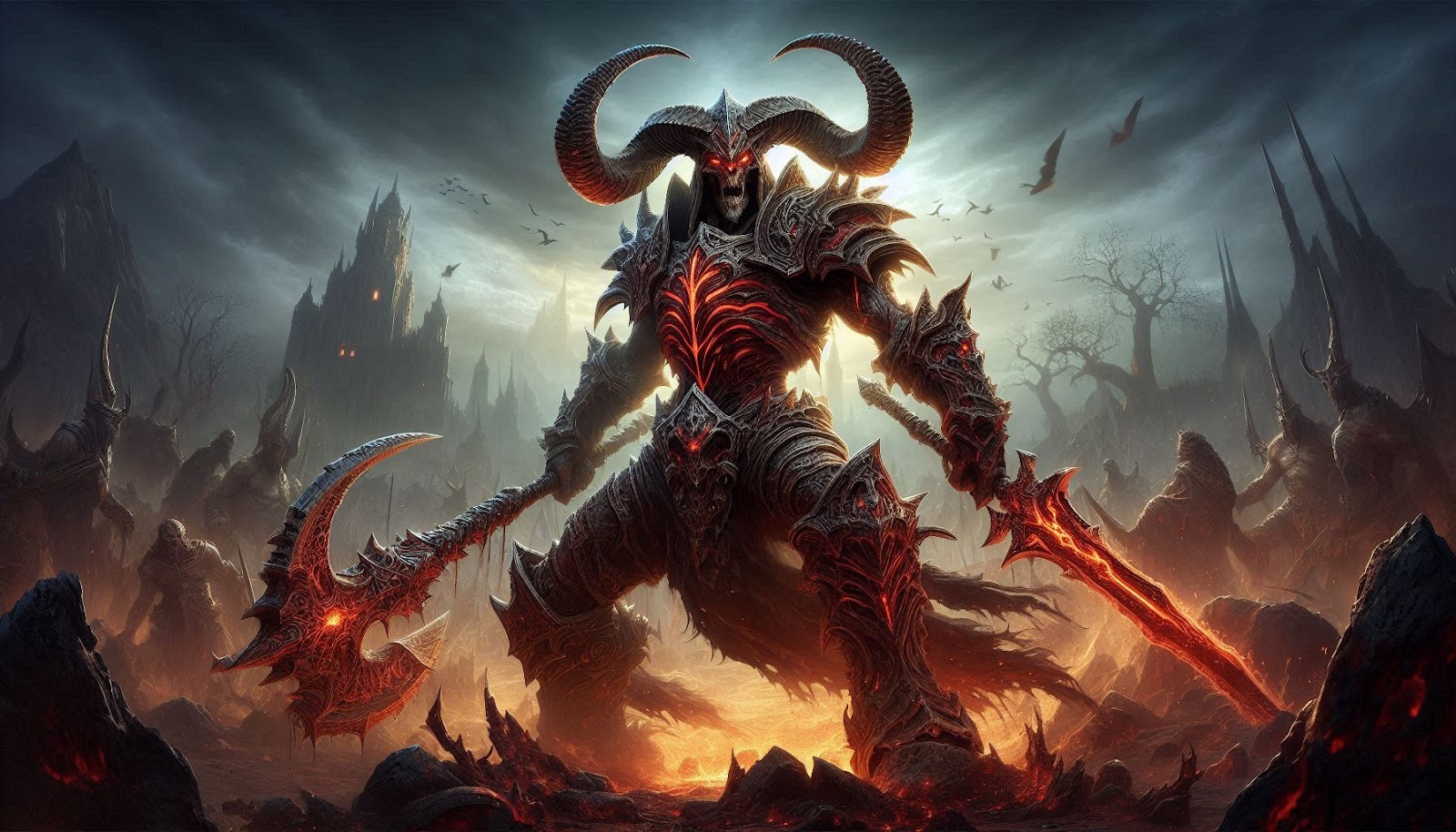
Argus is a far-off and unfriendly world included in WoW: Legion. It’s the base of the Burning Legion and is crucial in the expansion’s final story. Unfortunately, getting to Argus isn’t simply using a flight path or jumping through a portal. Completing a few quests is necessary, and you must follow specific steps to reach this perilous world.
This will guide you to every step needed to access Argus and all its missions. If you are a newbie, completing quests would be tricky, and obtaining gold would be difficult. Most players who recently jumped into World of Warcraft prefer to safely buy WoW gold to speed up the level-up process safely.
Unlocking The Argus Questline
To unlock Argus, you will need to own the Legion expansion and have a character that is 45 or higher. Your journey starts with a quest that brings you to the Vindicaar, a spaceship that serves as the main base while on Argus. Unlike how you unlock Argus by completing a quest, capturing Escape from Tarkov rubles will be much easier, as you don’t need to farm many resources.
The storyline of Argus has profound lore and exciting battles, which makes it incredibly enjoyable for players. Getting to Argus requires fulfilling faction reputation needs, moving through certain zones, and bringing new features as you progress through the game. The Vindicaar will be your journey hub and offer different utilities during your fight against the Legion.
Starting the Argus Campaign
Before heading for Argus, finish Uniting the Isles. This involves attaining a friendly reputation with five significant factions of the Broken Isles, which are
- Court of Farondis
- Dreamweavers
- Highmountain Tribe
- Nightfallen
- Valarjar
Getting friendly with these factions is possible through world quests and other activities in the Broken Isles. After all the requirements have been met, you can obtain the quest “The Hand of Fate” from Khadgar, located in Dalaran (Legion version). Accept the quest to start your journey.
Traveling to Argus
After taking the quest The Hand of Fate, go to Stormwind (Alliance) or Orgrimmar (Horde). You will see a cutscene introducing you to Turalyon and Alleria Windrunner, which will help you in the next phase.
You will embark on the Vindicaar, a ship that takes you instantaneously to Argus. Unlike other zones, Argus lacks conventional flight paths. Instead, the Vindicaar serves as a mobile base from which you can teleport to key locations, adding to the unique gameplay experience. Teleportation is now your primary game tool, rather than traditional mounts or flight paths.
Progressing and Exploring Argus
While in Argus, you will notice that the zone can be divided into three main areas:
- Krokuun – The starting point where you are dropped off at the quest’s beginning. It is packed with remnants of the Draenei resistance forces battling the Legion.
- Antoran Wastes – A highly corrupted Legion-controlled zone. This region is heavily populated with foes and is the most aggressive of the three zones.
- Mac’Aree – A large chunk of land floats above the others, filled with remnants of the Eredar civilization. It contains several secrets relating to the history of the Legion and the Draenei.
While following the Argus storyline, you will unlock more game sections and new features like invasion points, world quests, and the Netherlight Crucible, that lets you upgrade your artifact weapon. Some rewards from quests and world events on Argus are powerful gear and artifact power.
Unlocking the Netherlight Crucible
In Argus, there is a feature for enhancing an artifact relic called the Netherlight Crucible. To unlock it, you must complete a questline named ‘An Offering of Shadow.’ This will only become available once you have completed a particular stage of the Argus campaign.
The Crucible contains multiple customization options to enhance the weapon’s traits, making it more functional while battling. This feature benefits advanced players looking to get the most out of their character’s power and abilities.
Completing the Argus Campaign
The Argus campaign focuses on destroying the burning legion and their leader, Argus the Unmaker. Completing the Argus campaign will reward you with:
- The Seat of the Triumvirate Dungeon: A new 5-man challenging dungeon with powerful enemies and great rewards.
- The Antorus, thе Burning Throne raid. Completing this activity will unlock new content and is the last major battleground for the Legion expansion, where players will clash with the most significant enemies of the Burning Legion.
- Additional world quests and rewards. Doing activities and finishing quests on Argus is highly beneficial as it provides powerful loot, significant reputation gains, and many other perks.
Argus is the last stop in the progression of the storyline of the Legion expansion, where all the principal elements and characters will come together. Those who finish the Argus storyline can engage in some of the hardest things to do in the game.
Guide on how to survive Argus

Argus introduces a series of powerful enemies you must defeat to reach your goal. Some tips that could help include:
- Always use Vindicaar’s Teleports: This spaceship is the base hub for teleportation. Use its teleportation features to move between zones swiftly.
- Take along a group of people: Many quests in Argus are attached to elite enemies, and having other players with you will significantly aid you in taking these on.
- Avoid the attention of enemy patrols: The Burning Legion is always on Argus and constantly on patrol, so be careful when you move around high-risk zones.
- Upgrade your gear: Ensure decent gear when taking on trickier quests, as Argus has strong enemies.
- Complete World Quests: Completing world quests is an excellent way to gain a reputation, as they provide great rewards and valuable loot.
- Participate in Invasion Points: Complete these special events where you fight against Legion forces in different places and get unique rewards.
Conclusion
Completing all the quests and progressing through the storyline is required to reach Argus in World of Warcraft. This includes unlocking the Vindicaar, traversing through some of the most perilous regions, and partaking in some of the most brutal fights in the game. Utilizing the steps above, you should have no problem traveling to Argus and experiencing the beating heart of some of the most intense content in the legion.

Achieving Career Transformation Through Online Education

BOT Chain Global Dual-City Resonance: The “Global Offensive” and Better-than-Expected Ecosystem Implementation of the Modular Algorithmic Network

Hope Park Martyrs Church: A Dark spiritual and historic treasure of St Andrews
G15Tool.com Gadgets: Guide to Cutting-Edge Technology

When a Fall Teaches Flight: The Emotional Journey of Baby Hawk – A Story of Love and Survival